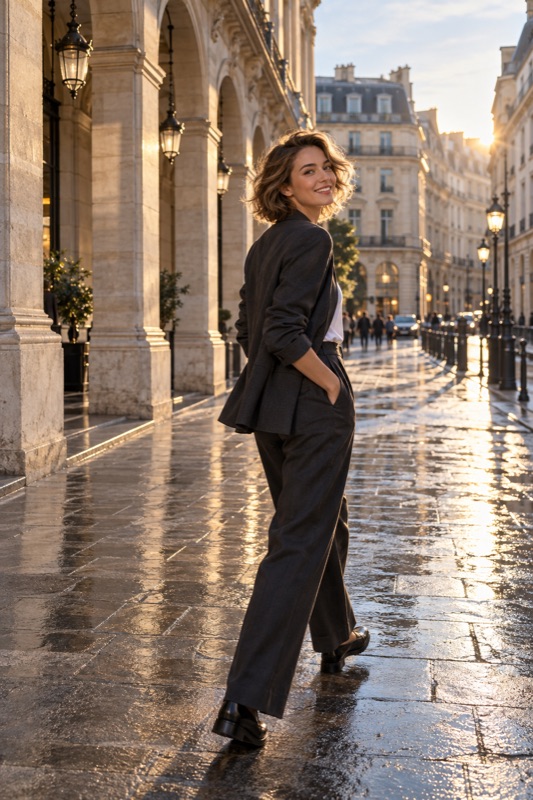
For a face-focused portrait, start near the subject's eye level and make a reference picture. Try a slightly higher and a slightly lower position while keeping distance and framing similar. Choose the angle with the person being photographed; there is no universally flattering height.
Get it on Google PlayHeight, tilt, and distance are different decisions
Camera height is how high the lens sits relative to the person. Tilt is whether the phone points upward or downward. Distance is how far the lens is from the subject. Changing all three together makes it difficult to explain why a portrait looks different.
First decide what fills the frame. A face-and-shoulders portrait and a head-to-toe outfit picture are different tasks. A height that makes sense for the face may require an awkward downward tilt to include the entire body. Reconsider the setup when the intended crop changes.
Make an eye-level reference for a close portrait
Nikon's portrait cheat sheet recommends eye-level camera placement as a starting point for a natural look. It is a useful baseline, not a judgment about how someone's face should appear. Locate the camera lens rather than aligning the center of the phone with the eyes.
If you are much taller, lower the phone without leaning very close. If you are shorter, consider having the subject sit comfortably. Do not stand on an unstable object to reach a supposed ideal angle. Keep the background in view as you change your position.
Compare three heights without turning it into a makeover
Take one frame at the starting height, one slightly higher, and one slightly lower. Ask the person to keep the same relaxed position. Maintain similar camera distance and crop, and avoid changing lenses during this small comparison.
Look at the face, the amount of ground or ceiling, and the lines behind the subject. Which version matches the mood you wanted? A higher view might reveal a busy floor; a lower one might bring a distracting sign into the picture. The best choice includes the background, not only the face.
| Change | Check in the saved photo | Keep constant first |
|---|---|---|
| Slightly higher camera | Expression, visible floor, and downward viewpoint | Distance and lens |
| Eye-level reference | Whether it matches the intended face-focused portrait | Subject position |
| Slightly lower camera | Background signs, sky, and upward viewpoint | Framing and expression |
Worked example: a tall photographer and a seated partner
Illustrative scenario: your partner is seated at a café while you stand over the table. The first photo mostly shows the tabletop and the top of her head. Instead of asking her to stretch upward, bring the lens closer to her eye level from a comfortable standing or seated position.
Take another frame from the same approximate distance. The lower position may now reveal clutter behind her, so make a separate sideways adjustment. Review after each change. This separates a height problem from a background problem and gives both of you a specific preference to remember.
Use angle as an intention, then verify it
For dramatic portraits, you may deliberately choose a strong low or high viewpoint. Tell the subject what you are trying and show the result. Describe the effect on the photograph without labeling a face or body as something that needs correcting.
ShotCoach AI offers camera-position guidance and supported camera adjustments when you need a direction to try. Its guidance is paid and device-dependent controls vary. You decide whether the angle suits the picture, and you press the shutter yourself after the ready cue.
Before your next photo walk
Should the camera always be above the eyes?
No. Begin near eye level for a face-focused portrait, then compare alternatives. A higher angle can change the background and perspective, and the person may prefer a different view.
Why did lowering the camera not fix my photo?
You may also have moved closer, tilted the phone, or changed the crop. Repeat the comparison while keeping those factors similar, and identify whether the problem is viewpoint, distance, or framing.
ShotCoach AI
Find a camera position to try with ShotCoach AI on Android.
Get it on Google PlayAvailable for Android · AI guidance is paid