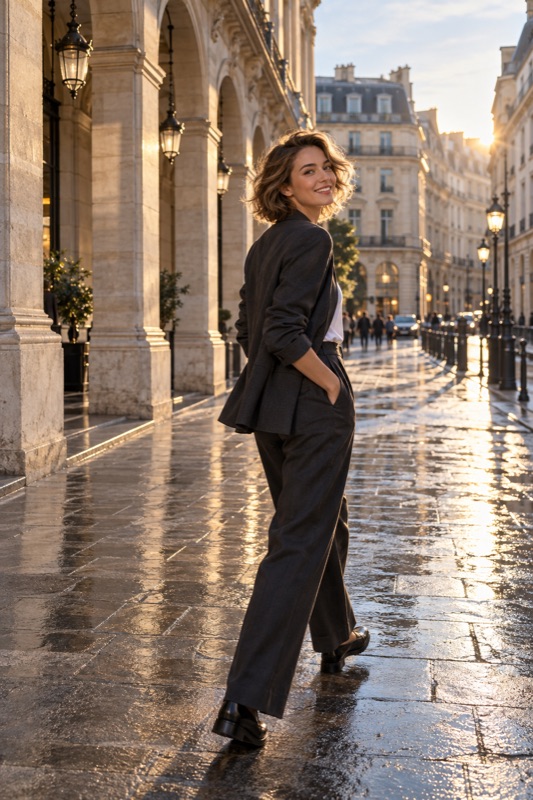
Use the main camera first, step back until the whole person fits, and leave a small margin above the head and below the shoes. Keep the phone fairly upright, check all four edges, and judge a saved picture before moving closer or switching to an ultrawide lens.
Get it on Google PlayDecide what must stay inside the picture
A full-body portrait has a specific job: show the person from head to toe. An outfit photo may also need a bag, the shape of a sleeve, or shoes that matter to the look. Ask which details must be included before deciding how tightly to frame.
Canon's framing guide distinguishes a full shot from tighter portraits and recommends space above the head and below the feet. Treat that as room to work, not a fixed percentage. A flowing skirt or moving hand needs more space than a still, compact pose.
Find the distance before choosing a wider camera
Start with your phone's main camera and portrait orientation. Move back until you can include the subject comfortably. If the location permits, test a little more distance rather than immediately selecting the widest lens. Keep an eye on where you are stepping.
If a wall prevents you from backing up, try turning the composition to landscape, moving to a more open position, or making an intentionally tighter portrait. A full-body frame is not compulsory at every location. Choose an alternative together instead of silently cutting off the shoes.
Run a four-edge inspection
Look around the border rather than concentrating only on the face. Check hair at the top, both shoes at the bottom, and elbows or accessories at the sides. Then look behind the head and feet for distracting lines. Take a test picture before asking for several poses.
Keep the phone approximately upright for the first comparison. If you tilt it substantially, the picture's perspective may become part of the style. Decide whether you want that effect rather than assuming every full-body photo needs an exaggerated angle.
- Top edge: include the hair and deliberate breathing room.
- Bottom edge: include both shoes and a little ground.
- Side edges: check hands, bag, sleeves, and movement space.
- Background: remove accidental overlaps by shifting sideways.
- Saved image: confirm the final crop, not just the preview.
Worked example: the dress fits, but the shoes disappear
Illustrative scenario: you photograph a partner outside a museum. The dress looks right, but one shoe touches the frame and disappears when she shifts her weight. Leave her standing position unchanged, move back slightly, and take another picture with extra ground beneath both feet.
Compare the two saved images at the same display size. If the wider frame now includes too much pavement, try lowering the camera a little while keeping it upright, then reframe. Change height separately from distance so you can identify which adjustment helped. These are experiments, not promised outcomes.
Deliver a useful crop, with room for another format
Ask whether the picture is for a square post, a vertical story, or a personal album. When possible, save a slightly wider original before making the final crop. A full-height person that just fits one shape may lose shoes or hair in another.
ShotCoach AI can help the photographer refine framing and supported camera settings. AI guidance is paid, controls depend on the device, and you still press the shutter. Check the clothing details and edges yourself; the ready cue does not guarantee the final photograph.
Before your next photo walk
Must a full-body photo be vertical?
No. Vertical framing often fits a standing person efficiently, but horizontal framing can preserve surroundings or fit a wider outfit. Choose the shape for what the photo needs to show.
Can I fix a missing foot by cropping?
Cropping removes image area; it cannot recover something outside the captured frame. Retake the photo with more space, or choose a clearly intentional tighter crop that works as a different portrait.
ShotCoach AI
Give your next full-body portrait a clearer frame with ShotCoach AI for Android.
Get it on Google PlayAvailable for Android · AI guidance is paid