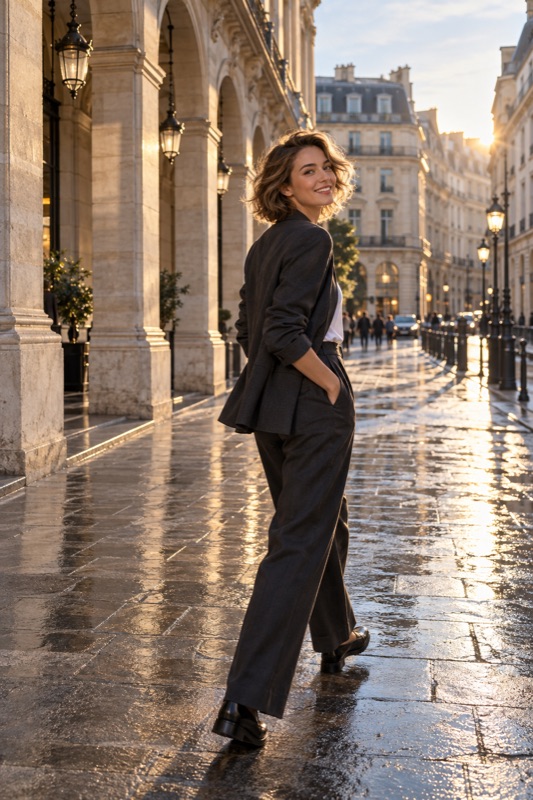
Give one concrete, comfortable action at a time and explain what it changes in the picture. Demonstrate when words are confusing, let the person decline, and show a useful result before adding more directions. Avoid mixing several body instructions with vague demands to look natural.
Get it on Google PlaySeparate the camera problem from the person's pose
Before asking anyone to move, identify what is wrong in the frame. If a sign overlaps their head, you may need to move the camera. If their hand hides a sleeve detail they want to show, a small hand adjustment may help. Do not give the subject a complicated pose to compensate for a background problem you can fix yourself.
Agree on a relaxed, formal, playful, or clothing-focused picture, then connect each direction to that goal. The subject is a collaborator, not a collection of body parts to position.
Use action, direction, and a clear stopping point
Give an action and a stopping point: turn toward the window, pause, then look back. Start with the first action and add the next only when comfortable. If left and right confuse, point to a landmark or demonstrate.
Canon's posing tutorial describes how new positions can emerge as someone moves between poses. You do not need to lock every joint into place. Notice comfortable transitional moments and ask whether the person would like to keep that position for a picture.
Replace vague or critical language
These are suggested phrases, not customer quotes or tested results. Adapt them to the person. Describe the photograph without implying their appearance needs correcting.
| Unhelpful direction | A concrete alternative | What it clarifies |
|---|---|---|
| Just be natural | Look toward the window for a moment | One manageable action |
| Your arm looks wrong | Could you move your hand so the sleeve is visible? | A detail in the photograph |
| Turn, chin down, smile, move your foot | First, turn a little toward this wall | One change rather than four |
| Don't move until I finish | I will take a few pictures, then we can relax | A clear break |
Worked example: the hand that keeps hiding the outfit
Illustrative scenario: a friend wants a photo of a jacket, but a tightly held bag covers its front. Instead of saying the pose is bad, explain that the bag is hiding the detail they asked to show. Offer a simple choice: lower the bag slightly or place it beside them for one frame.
After they choose, check the camera framing before adding another direction. If the hand still feels tense, demonstrate a relaxed hold and invite them to try it, without touching or repositioning their body. Take a small set, show the jacket detail, and ask whether they want another variation.
Listen, review, and know when to stop directing
If someone says a pose feels uncomfortable, believe them and change the plan. A seated option, a simpler stance, or a break may be more useful than a longer explanation. Ask whether the saved photograph matches the intended mood; do not assume a technically tidy frame is automatically their favorite.
ShotCoach AI can provide the photographer with framing guidance and supported camera adjustments, leaving you more attention for the conversation. AI guidance is paid, controls vary by device, and the app does not replace consent or personal preference. You remain responsible for the direction and press the shutter yourself.
Before your next photo walk
What should I do if the person misunderstands every direction?
Simplify to one action and demonstrate it. Use a visible landmark instead of ambiguous left or right. If the setup remains confusing, move the camera yourself or choose a simpler picture.
Should I keep talking while I take pictures?
Use conversation when it helps, but leave pauses so the person can settle into a comfortable expression. Explain when you are making a short set and when they can relax; constant instructions are not required.
ShotCoach AI
Get help with the frame while you focus on the person: try ShotCoach AI on Android.
Get it on Google PlayAvailable for Android · AI guidance is paid